Field software for AV integrators who work room by room
AV jobs move room by room, from rough-in and rack build to programming and commissioning, and DayReport tracks the hours, counts and photos the same way and writes the daily report in AV terms.
7 day free trialNo card to startAdmins and office staff free
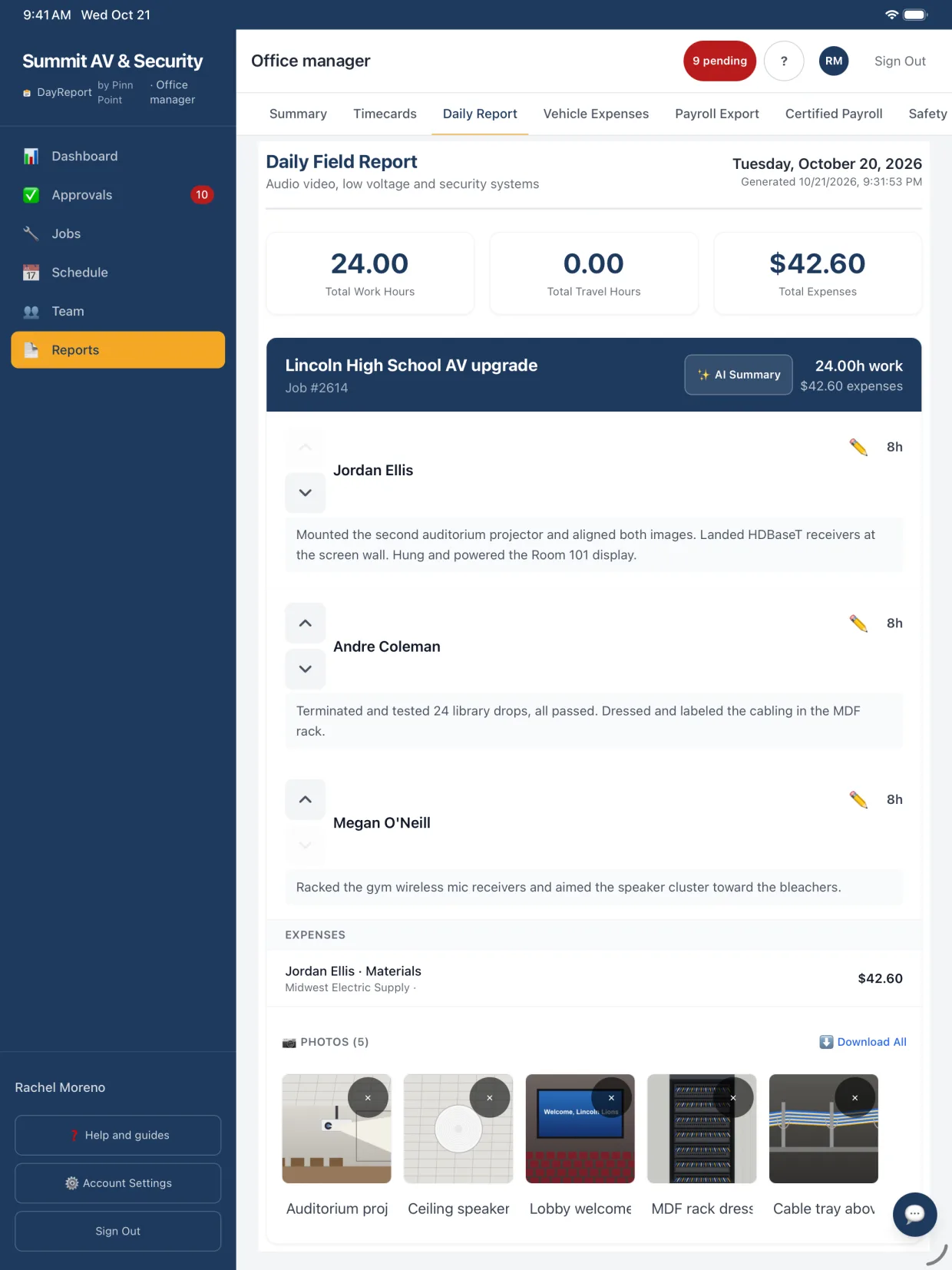
Screens show example data.
- Built by a working integrator
- 7 day free trial, no card
- Admins and office staff free
- Data stored in the United States
Track AV work the way it moves
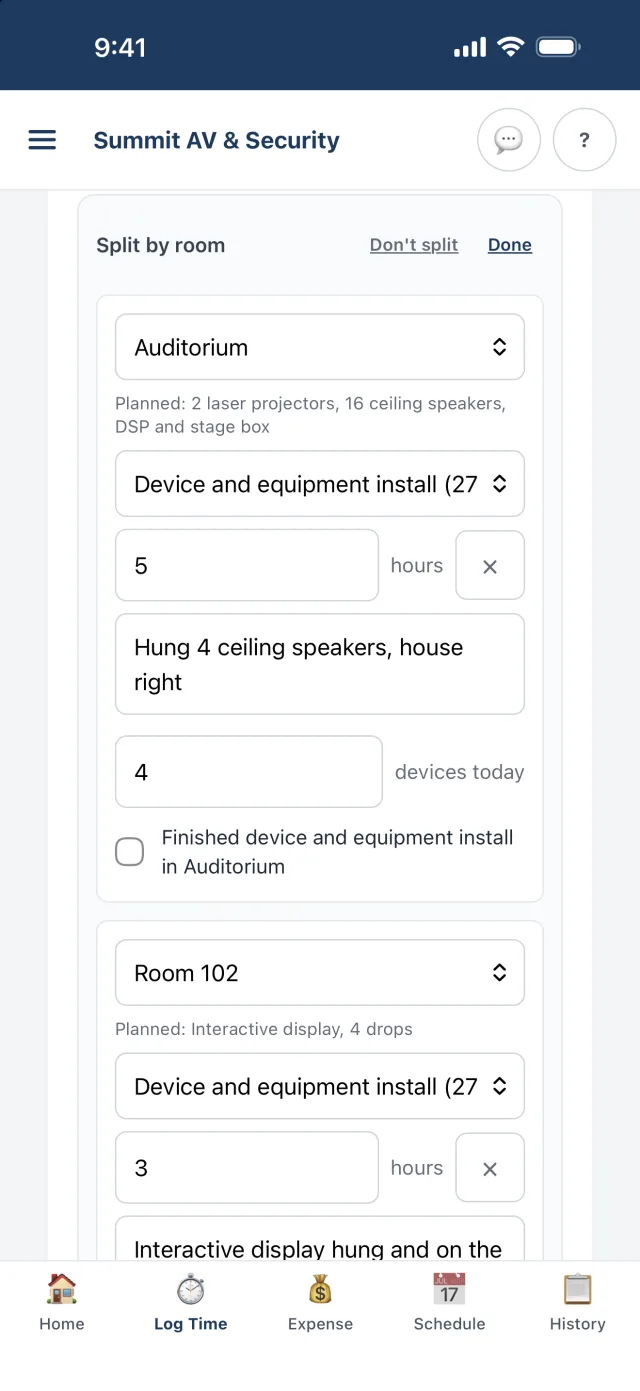
AV projects move room by room: rough-in, rack build, displays and speakers, programming, commissioning and owner training. Techs split the day across rooms with the 27 41 00 Audio-video codes and tick Finished when a room and phase is done.
- Counted codes for devices and racks.
- Rooms and budgets show each space against its plan and its hours.
- Service calls and warranty work on the same app.
A report that sounds like an AV PM wrote it
With Audio visual as your trade, the AI summary reports rooms by status, counts displays and speakers installed, and calls out what usually holds an AV job up, such as missing backing for a display, equipment on backorder or network ports IT has not turned up.
- A customer update for the GC or owner, and an internal status for the office.
- Room names and equipment come from the entries and the job's documents.
- Edit anything before it goes out.
Rooms worked today: Boardroom, Room 110, Rack room.
- Boardroom: Mounted and terminated both 86 in displays and the ceiling microphone. Speakers are in; the codec goes in Thursday.
- Room 110: Programmed the room control and DSP presets. Commissioned and handed to the owner's IT contact.
- Rack room: Built out rack 2, dressed and labeled all AV cable. The display in the lobby is waiting on backing in the wall.
| HDBaseT extender kit | 2 |
| Ceiling speaker | 6 |
| Display wall mount | 2 |
Start from the paperwork you already have
Upload an AV scope, equipment list or room schedule when you add a job and it fills itself in. Then let the room finder read the drawings and propose rooms with planned counts.
- Keep rack elevations and room schedules on the job so techs can open them from the truck.
- Start from a job copies rooms and budgets for repeat spaces, like classroom after classroom.
- Materials from your stock first, then an AV list: displays and mounts, audio, video and signal, control, and AV cable.
| Room 101 | Classroom | 1 display, 2 speakers | |
| Room 102 | Classroom | 1 display, 2 speakers | |
| Boardroom | Conference | 2 displays, 1 codec | |
| Room 110 | Huddle | 1 display | |
| Commons | Assembly | 8 speakers |
Hand over the room with the paperwork done
The closeout checklist covers as-builts, test results, labeling, backups, manuals, training, the punch list, the walkthrough and sign-off. When it is done, download the package.
- Closeout package PDF with the checklist, punch list, daily report history and a sign-off page.
- Private progress links for the owner or GC during the job.
- Punch items with before and after photos.
| Closeout checklist | 9 items |
| Punch list | 23 items, all done |
| Daily report history | 38 reports |
| Sign-off page |
The rest of the install, covered
GPS time clock
Clock in on site with server-stamped times, rounded to the quarter hour and locked.
Travel crews
Hotels, per diem and mileage on the IRS accountable plan for crews on the road.
Scheduling
Crew notices, conflict warnings and certifications for jobs that need them.
Material favorites
Star the AV items your crews use most and they show first for everyone.
Change orders
Techs mark extra work and pick the change order or ask for one, so added scope keeps its own hours.
Job money
Cost to date, margin and a schedule of values for progress billing.
Questions people ask first
Is DayReport a replacement for our AV design or proposal software?
No. DayReport covers the field side after the sale: time, rooms, daily reports, photos, materials, receipts, schedules, job costs, closeout and payroll. It sits beside the tools you use to design and quote systems.
Can DayReport track progress by room?
Yes. Techs split their day by room and cost code, with counts like devices and racks and a Finished box, and the AI daily summary lists every room worked and what got done in each.
What AV cost codes come with it?
27 41 00 Audio-video: Rough-in and pathways, Cable pull, Device and equipment install, Rack and head-end build, Programming and configuration, and Commissioning and system test. You can rename, add or turn off codes.
Do our techs need to install an app?
No. DayReport runs in the phone's browser and adds to the home screen like an app, so a new tech is working a couple of minutes after you invite them. Native iPhone and Android apps are coming soon.
How much does DayReport cost?
$19 per technician or foreman per month. Admins, office managers, project managers and accountants are free unless you give one a field seat to log their own time. 7 day free trial, no card to start.
Keep exploring
Try it on your next job
Set up your company, invite a technician and log a real day. Setup takes about ten minutes, and the first 7 days cost nothing.
No card to startAbout ten minutes to set upCancel any time